

Thanks for installing MegunoLink.
My name is Phil and I typically handle support questions.
Sometimes its hard to figure out where to start with MegunoLink, as it has been designed to be very flexible which makes it seem complicated.
I recommend these 4 steps.
1. Arduino Integration
Install our Arduino integration features which include our Arduino library and our upload monitor.
2. Select An Example
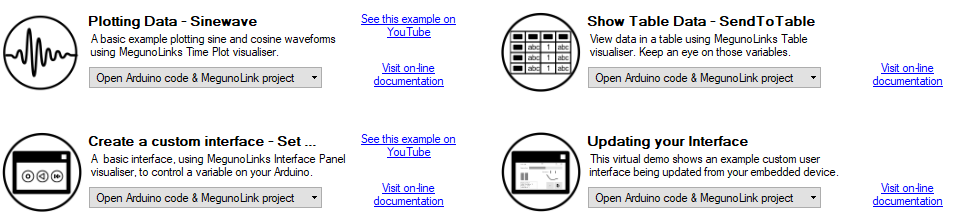
Select the example you want to try. There are currently 4 available from our start page but our Arduino library contains many more which you can find using the “Library Examples” button on MegunoLink’s main toolbar.
3. See MegunoLink in Action
If you select one of the examples on the start page then MegunoLink will open both the Arduino program and the MegunoLink interface. These example interfaces use a simulated serial connection to provide you with a demo without the need to program any devices. This gives you a feel for how MegunoLink works.
Once you are happy program your Arduino using the IDE and adjust the “Connection Manager” in MegunoLink to stop the simulated source and select the COM port for your device.
4. Build From Examples
Try out as many of the examples as you like. Each one has an Arduino program (.ino) and MegunoLink interface file (.mlx/.mlpz) file to get you started. I find its easy to take snippets of each example and assemble them into my own program and MegunoLink interface.
More resources
For more detail check out
- Our full documentation and getting started guide.
- Some more Arduino examples
- Our forums
- Send me a message if you have any questions

